
This content is intended for the public covered by the exceptions of the Charter of the French language and its regulations. If you read on, you confirm that you fall within one of these exceptions.
In accordance with Val-des-Monts Municipality obligations under the Charter of the French Language, the Municipality’s website is available in French only. 
Using the translation tools in your web browser, you can also view it in the language of your choice.
To access an instant translation, place your mouse over the text you want to consult and right-click. You can translate all the pages on our website using this method.
If you prefer to use Google Translate or the web page translation tools available in your browser, you can follow the steps below.
How do I translate a web page with Google Translate?
- Go directly to Google Translate from your web browser: https://translate.google.com.
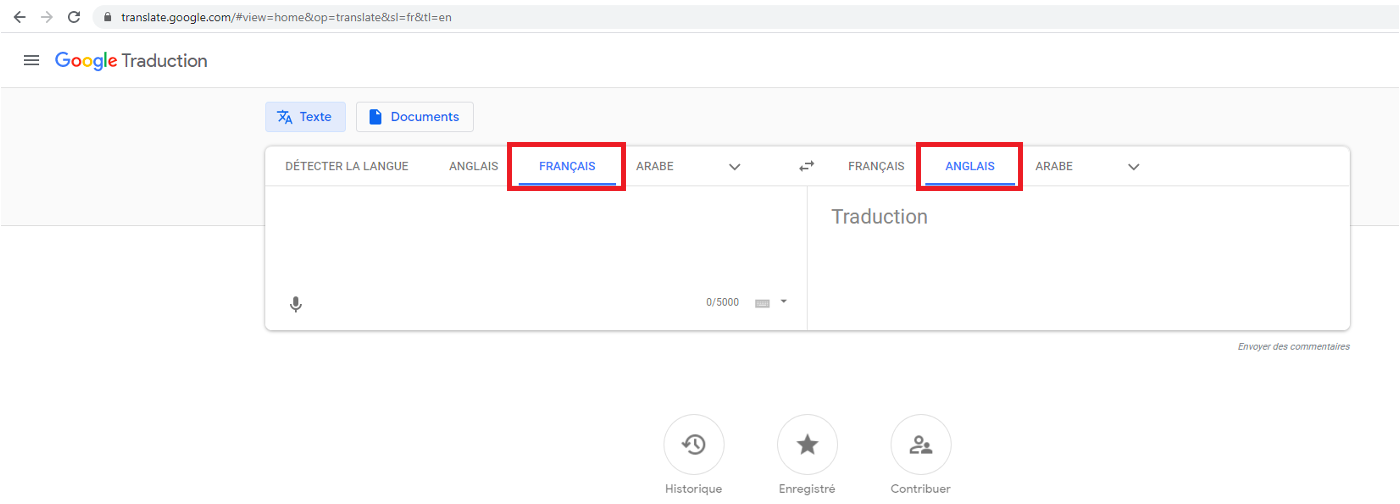
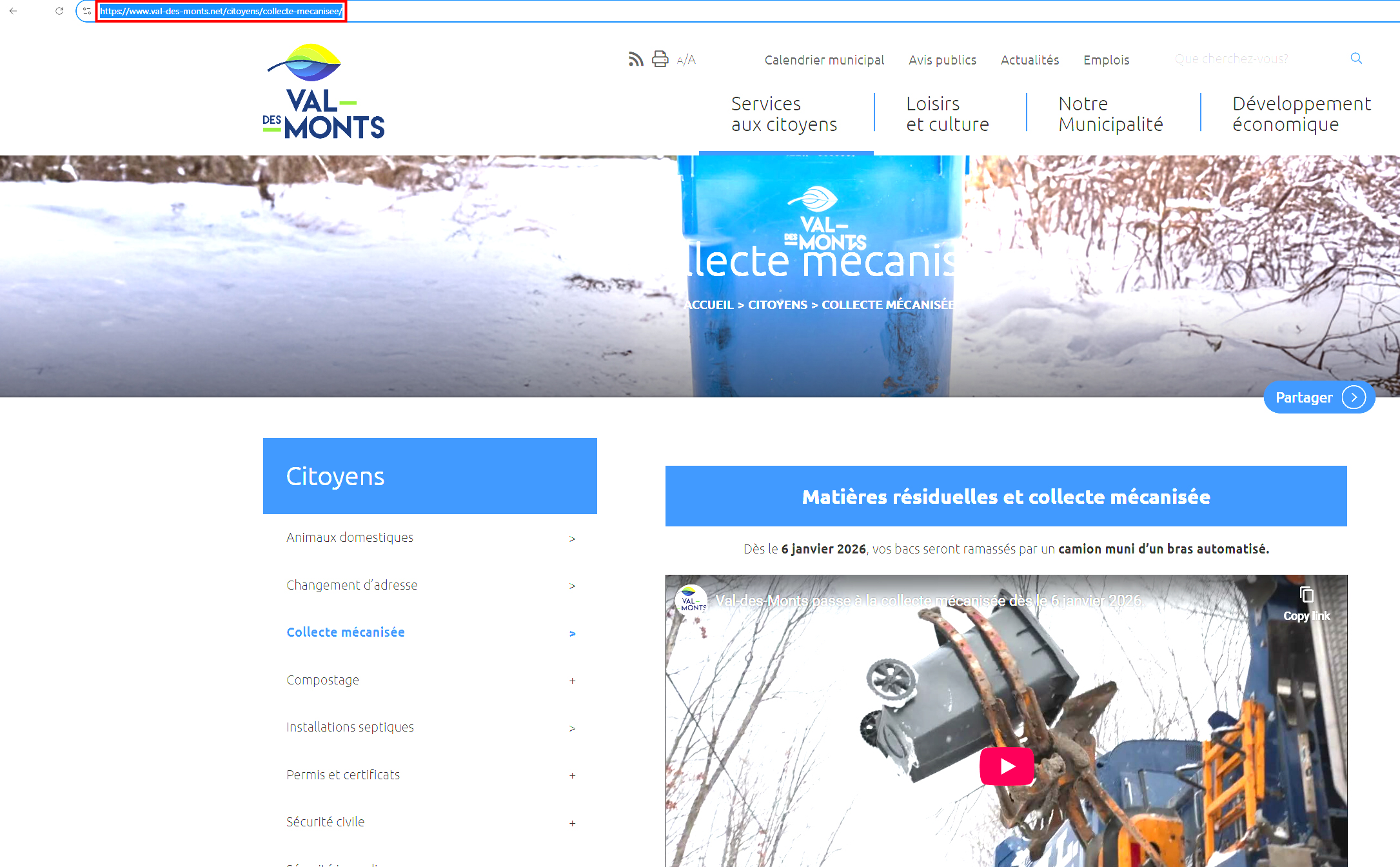
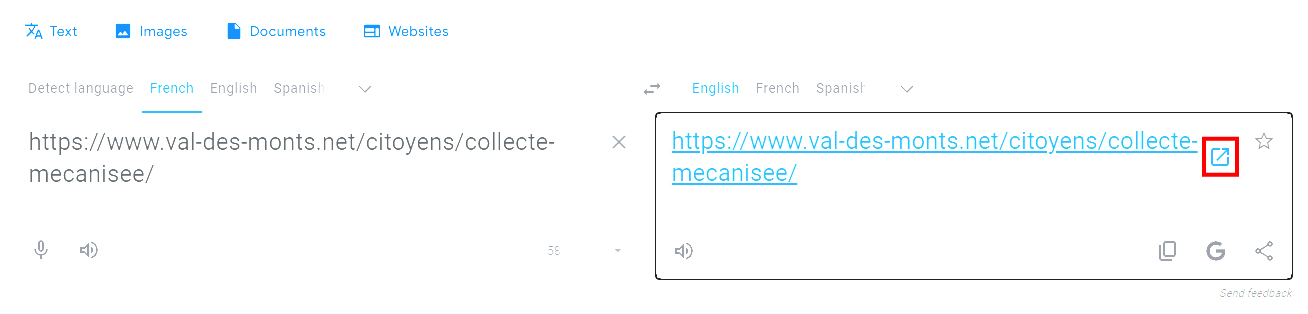
- Select the language of the web page you want to translate, then select the language you want to translate it to. Enter the URL of the web page you want to translate in the box on the left. In the box on the right, the same URL will appear with a link icon. Click this icon.
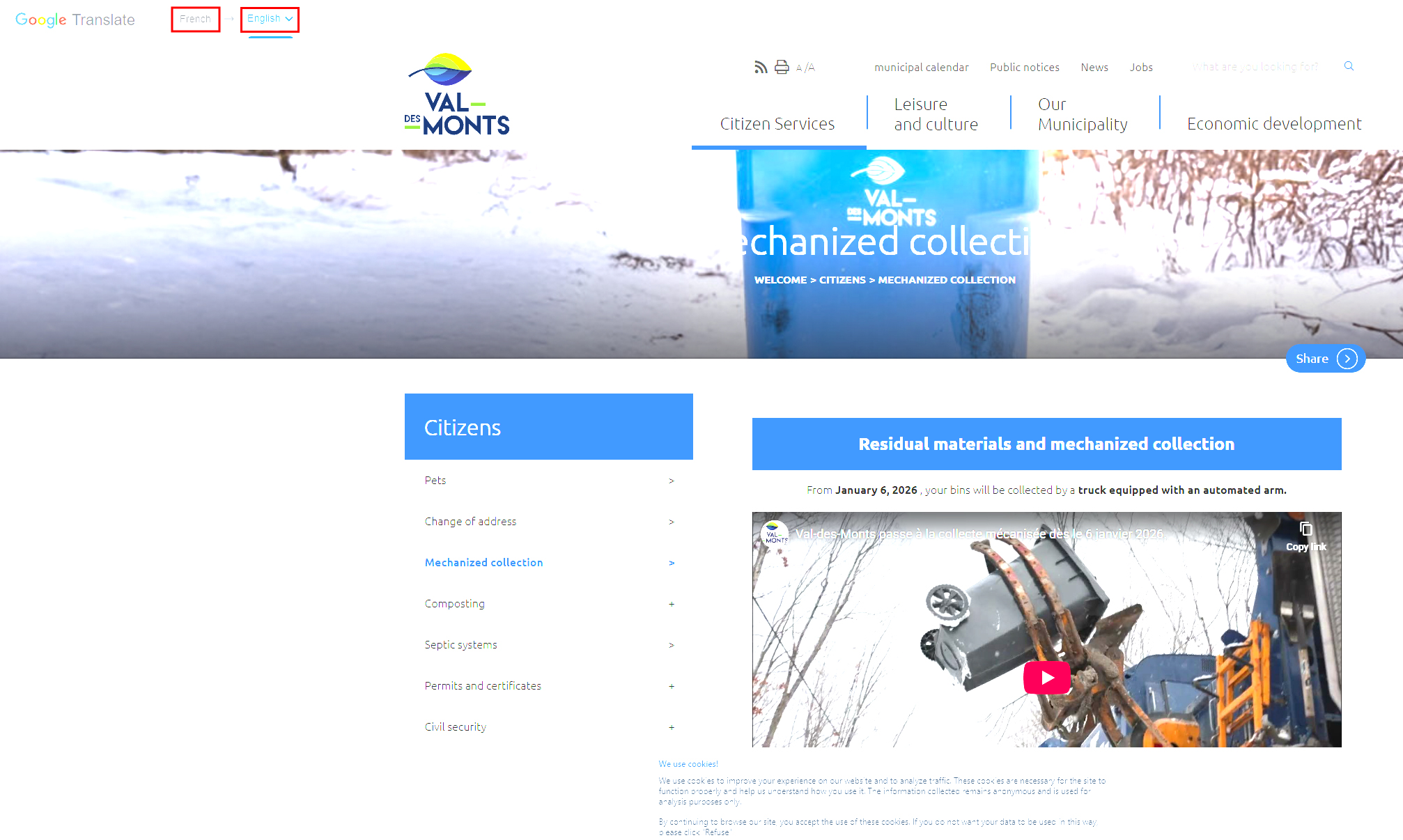
- A new tab will open with the web page translated into the target language. If you want to change the source language or the target language, you can do so using the dropdown menus at the top of the page.
How do I use the translation tools in my web browser?
Select your web browser from the list below.
Then select your electronic device:
Then select your electronic device:
Then select your electronic device:
If you have an iPhone, there is also a translation app available.
Then select your electronic device: